An internet radio app that lives in three places at once.
RadioShake is a Kotlin + Jetpack Compose app that streams 45,000+ internet radio stations from radio-browser.info. The same codebase targets three places people listen: a phone, a Wear OS watch, and an Android Auto car dashboard, with Chromecast as a fourth output.
·
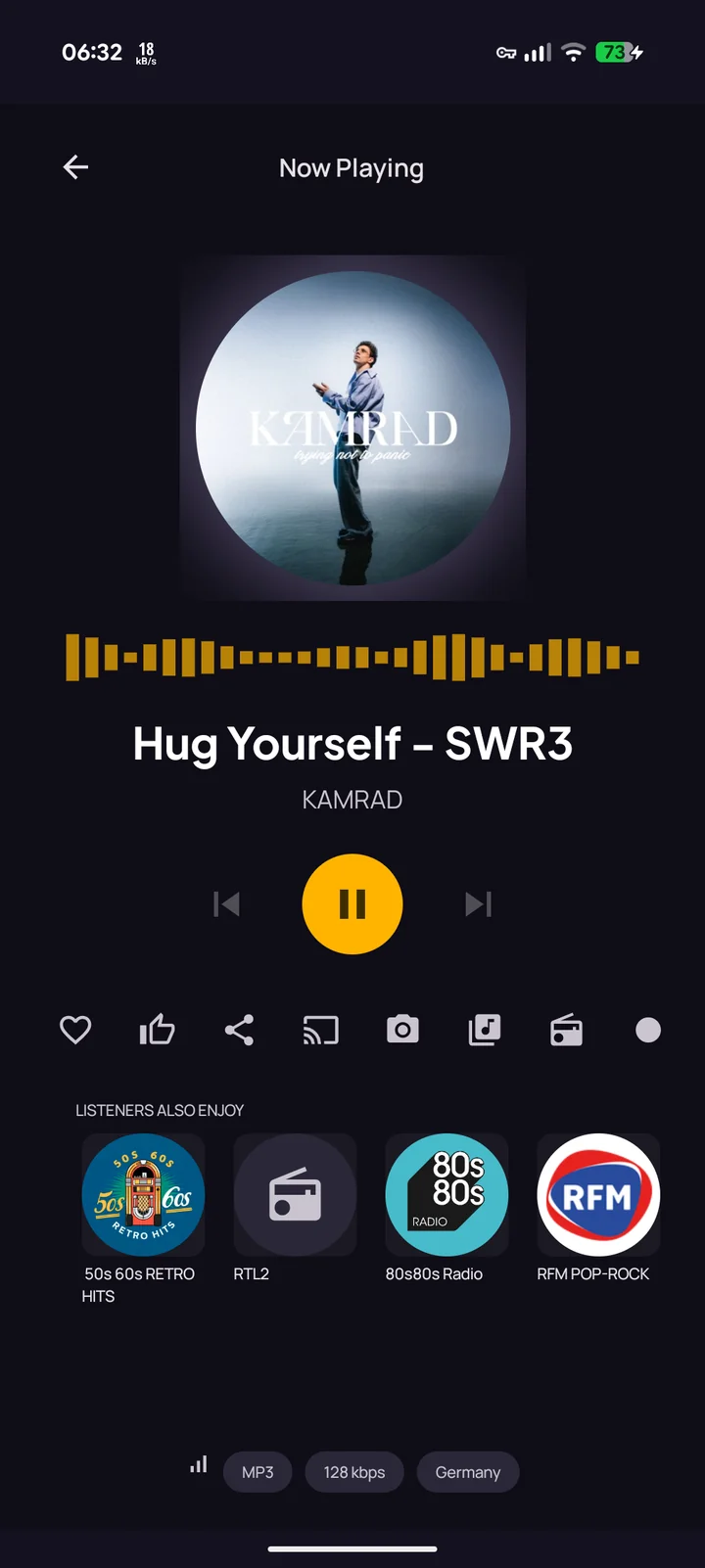
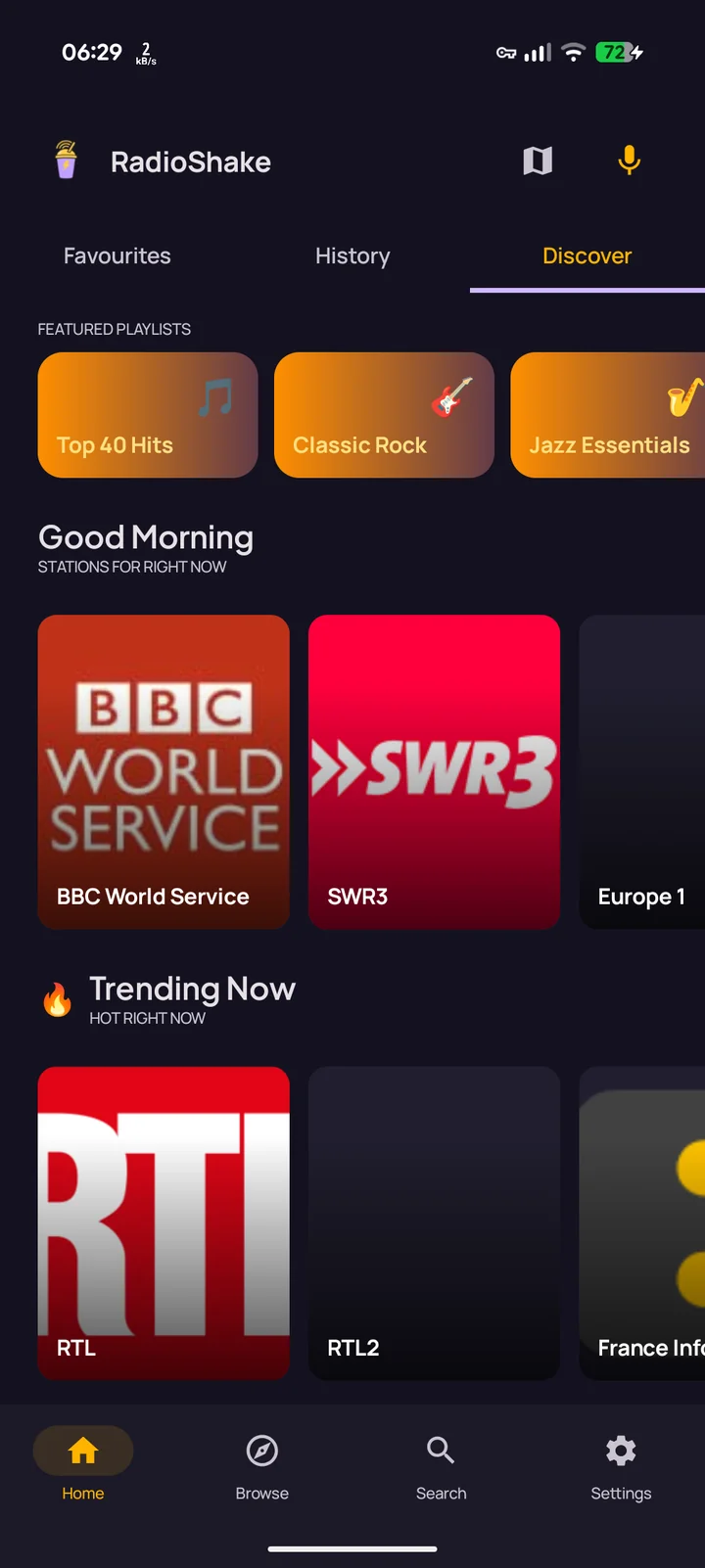
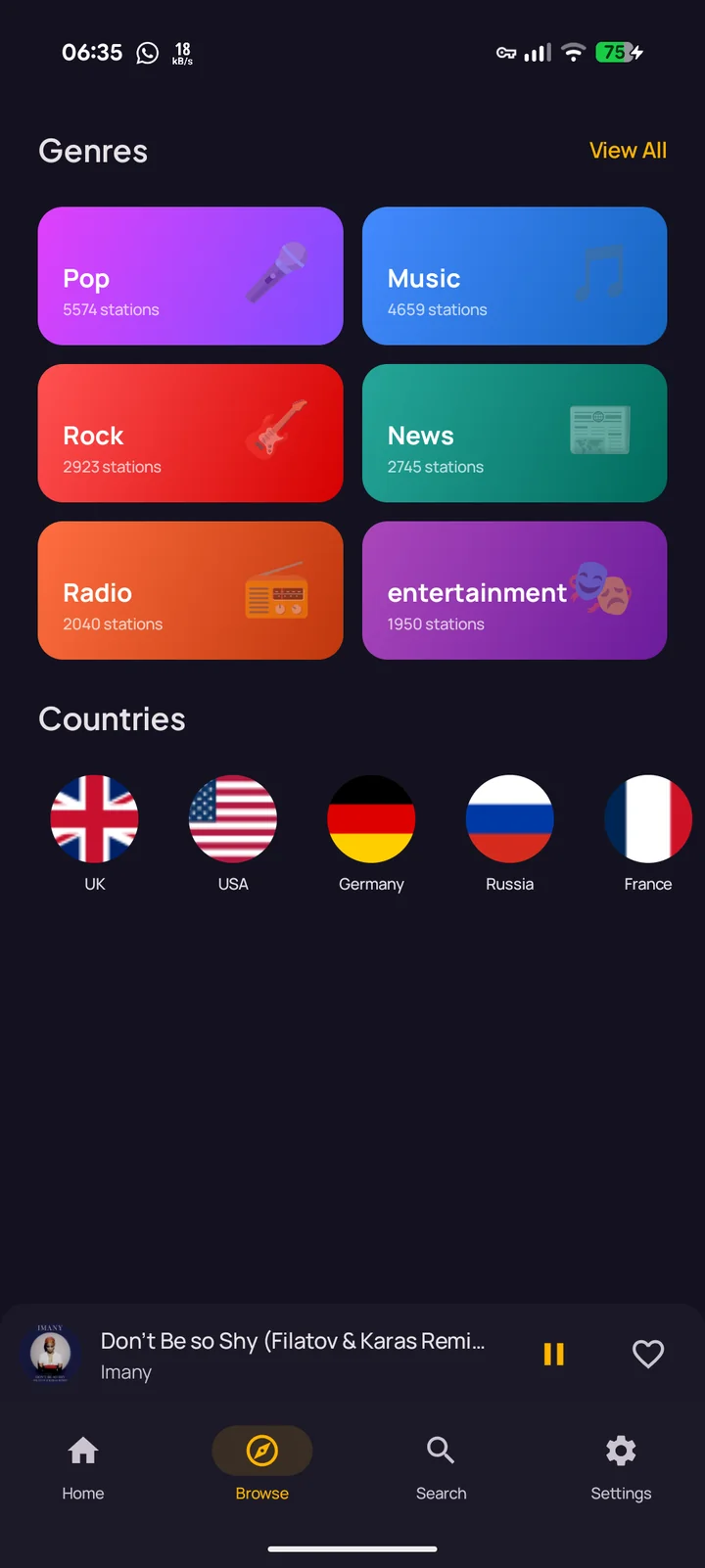
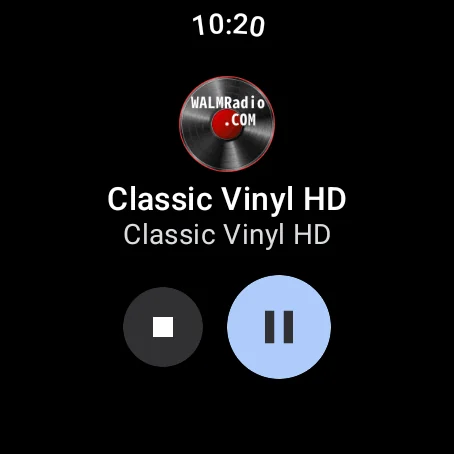
Three platforms, one codebase
RadioShake ships from a single Gradle project with three modules: app (phone),
wear (a standalone Wear OS app, not a phone companion) and shared
(player, browse, settings, search). Player state, station data and ICY metadata live in shared
code so the watch and phone surfaces stay in sync without a custom protocol; both consume
the same Media3 session.
- Kotlin
- Jetpack Compose
- Compose for Wear OS
- Hilt DI
- Coroutines + Flow
- Media3 / ExoPlayer
- HLS streaming
- Media Session
- Android Auto
- Chromecast (Cast Framework)
- Room database
- Retrofit + OkHttp
- kotlinx.serialization
- Coil image loading
- DataStore
- Firebase
The car flow is the design
Android Auto was a constraint from day one, not a port-after. The browse tree and search results are designed for glance-and-tap behaviour with voice-search as the primary input. There’s no settings UI on the car: just discover, search, and resume. Phone fumbling while driving was the failure mode I designed the entire app to avoid.
What that means in code: the Auto surface gets its own
MediaBrowserServiceCompat implementation that exposes only the browseable nodes
worth tapping in the seven-second-glance window (favourites, trending in your
country, top genres) and routes voice-search through the same query path the phone
uses.
Stream resilience
Internet radio streams break a lot: servers vanish, certs expire, redirects loop. The Media3 player wraps every station in a fallback list (the radio-browser dataset includes backup URLs for most stations) and an HLS adapter so a single dead URL doesn’t kill playback. The same layer handles the auto-resume-on-Bluetooth-connect behaviour, the sleep timer, and decoding ICY metadata so the now-playing track and artist appear under the station name without a separate API call.
Shipped with AI assistance, deliberately
Most of RadioShake was built with AI-assisted coding: not as an experiment, as the working method. I’m more conservative about it on client work, but the day-to-day on RadioShake (refactoring playback, wiring Cast, rewriting browse for Auto) was done with a loop of “sketch the change, let the agent draft it, review the diff, ship it.” It’s why I trust it for the client side too.
Where it goes next
On the roadmap: optional offline caching for top stations, iOS via Kotlin Multiplatform, and a Tasker-style intent surface so other apps can ask RadioShake to play a specific genre.